


GIS and mapping
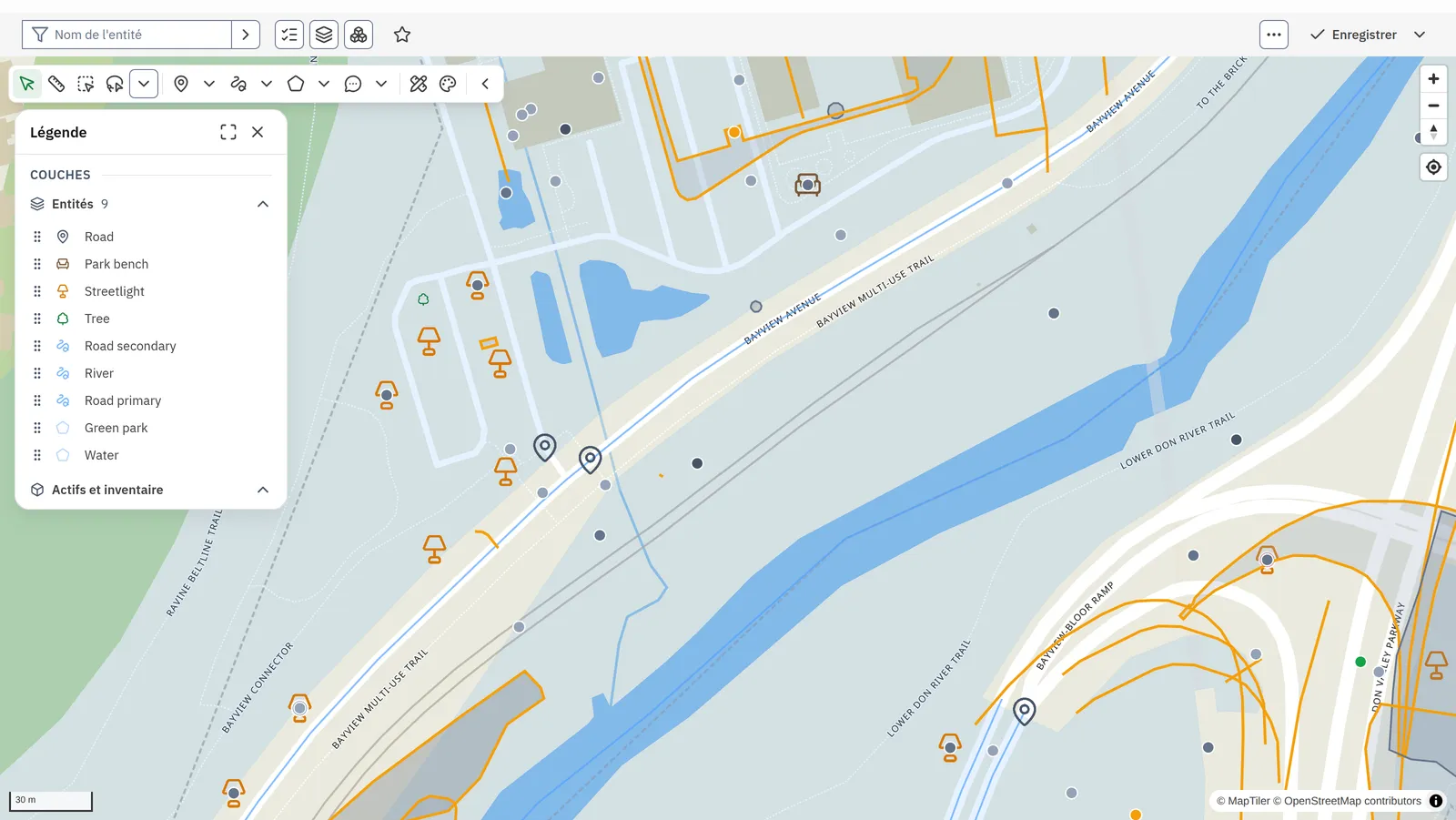
Aptli puts your assets, work, permits and public reports on one map that every team edits, assigns from and plans against.
Your administrator defines each layer's fields and styles. Staff draw, import and move features between layers, assign work from the map, and cost capital plans against what it shows. The public reports on the same map through the portal.
How it runs
- 01Bring the layersYour GISArcGIS and OGC services sync with Aptli both ways, and files import in the browser.
- 02Define themAdministratorThe administrator sets each layer's fields, styles, labels and filters.
- 03Edit themStaffStaff draw, cut, join and buffer features, and move them between layers in a version.
- 04Assign the workDispatcherThe dispatcher selects features on the map and assigns the work to a person.
- 05Report on themThe publicThe public reports a problem on the portal map, and staff see it on theirs.
What it does
Layers and symbology
Each layer carries its own fields, and every feature on it takes them. A layer colours by value, classes by range, sizes by value, draws a heat map and labels its features. Its filter sets what it draws.
Editing and geoprocessing
Staff draw points, lines, polygons, circles and notes, with snapping. A shape buffers, rotates, cuts, simplifies and joins another, and moves to another layer. Undo runs across the whole session.
Versions and approval
Edits go into a named version. An approver publishes it or sends it back with a note, and the version shows its changes on the map and as a list.
Overlays and data sources
ArcGIS and OGC services sync both ways. Tile and vector overlays add your own services, OpenStreetMap features import into a layer, and Statistics Canada census figures read by area.
Work from the map
A selection on the map opens work orders, assigns them to people and reads its statistics. Assets, work orders, public reports, permits and notices draw on the same map.
Measure, print and export
Staff measure distance and area, print a layout with its title, scale bar and north arrow, and export to Shapefile, GeoPackage, GeoJSON, KML, CSV, PDF and PNG.
Technical details
- Import reads Shapefile, File Geodatabase, GeoPackage, DXF, DGN, GeoJSON, KML, KMZ, GPX, CSV and Excel in the browser, and a preview marks overlaps and duplicates before anything lands.
- Each import is a record, and deleting it takes out every feature and layer it created.
- ArcGIS feature services and OGC API Features sync field by field, matched on GlobalID where the layer has one, and each field belongs to one side.
- Layer connections join features into a network, and a trace follows it from any feature.
- A layer's calculated properties read a formula from the layer, and a line's length or a polygon's area feeds it.
- A dropped CSV, GeoJSON or KML file compares against the features on the map and applies its values to them, matched by key or by distance.
- One filter with a date slider applies to everything the map draws, and nearby points group into clusters.
- Address search and reverse geocoding run on OpenStreetMap, and OpenStreetMap features import into a layer.
- Census figures from Statistics Canada read by area beside your own layers.
- On the phone, crews edit features with no signal, and the edits send on reconnect.
Fits with
Yours in its place
Your GIS
ArcGIS feature services and OGC services sync with Aptli both ways, field by field. Each field belongs to one side, and a change goes back to the side that owns it.
Runs on
GIS and mapping
Layers, editing, versions, imports, exports and overlays.
Assets, work orders and dispatch on the map.
Goes with
Aptli scores condition and risk on every asset and measures your levels of service.
Aptli builds your capital plan from condition and risk and costs it by year against your funds.