


Asset management
Aptli keeps your asset register on your GIS, scores each asset's condition and risk, and measures your levels of service.
Classes set what each asset holds. Condition, risk and levels of service come from your own factors and targets, and every piece of work stays on the asset it touched.
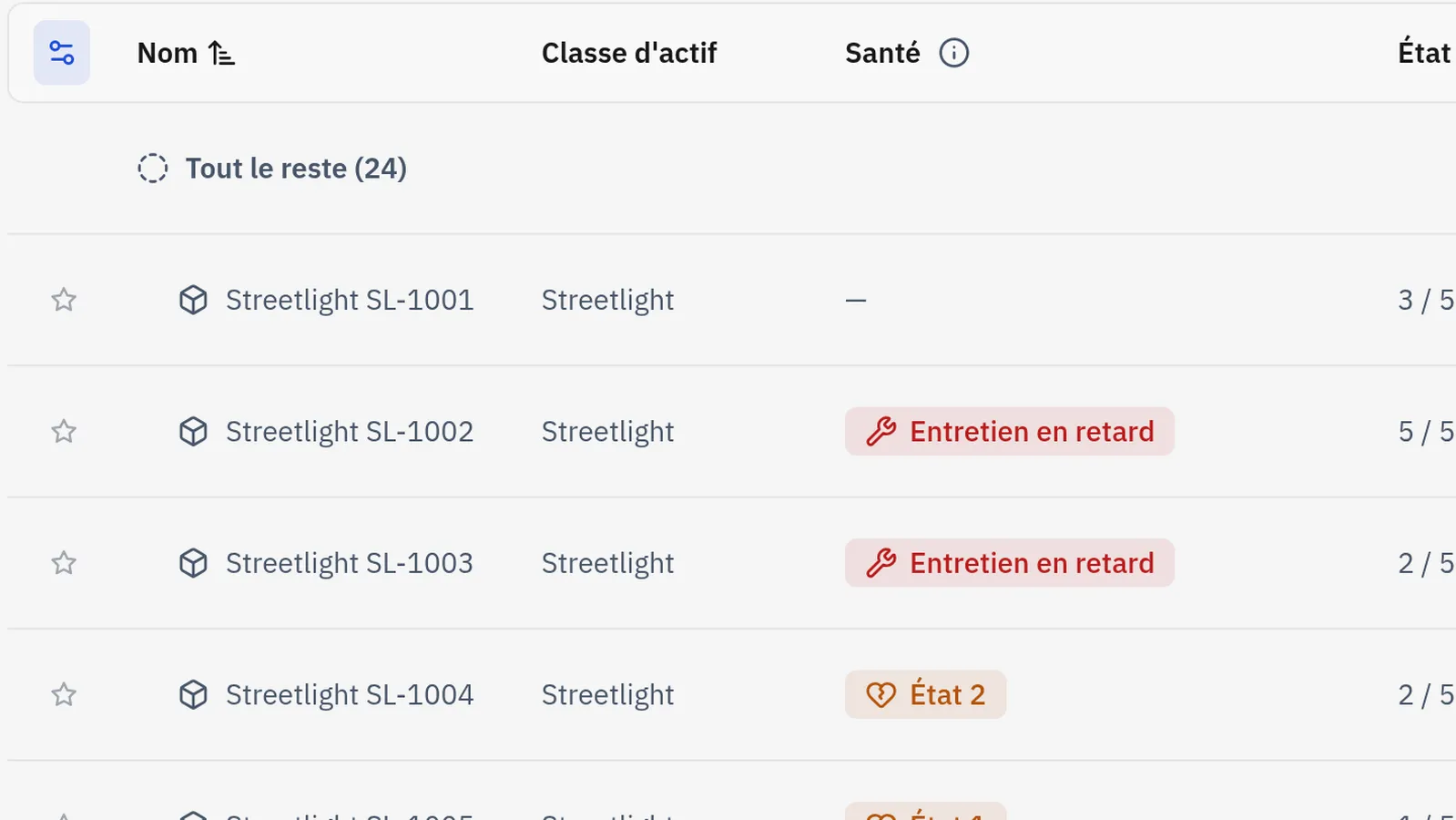
How it runs
- 01Sync the registerYour GISYour GIS and Aptli write asset layer changes both ways, field by field.
- 02Assess itInspectorThe inspector rates condition on the phone, at the asset, with or without a signal.
- 03Score the riskAptliAptli calculates risk from your own likelihood and consequence factors.
- 04Measure the serviceAptliAptli measures each class against its level of service targets.
- 05Act on itAsset managerThe asset manager opens work on the assets that fall short.
What it does
Asset registry
Classes set the fields, the useful life, the criticality and the replacement cost, and each asset takes them from its class. An asset nests under a parent asset. ArcGIS layers mirror into the register both ways.
Condition and risk
Assessments set condition on a 1 to 5 scale and keep their history. Risk is calculated on the class from your own likelihood and consequence factors, and criticality ranks what comes first.
Lifecycle
Each asset is planned, in service or retired. A class sets how many years its assets take to fall one condition step. Useful life, install date and replacement cost drive a ten-year replacement forecast.
Levels of service
A class sets its targets: the share at or above a condition, the share assessed within a period, the share past its useful life. The home page and the feeds measure each one.
Incidents
An incident records when it was reported, when it occurred and when it ended, and its cause. The work order that fixes it closes it.
Maintenance and work orders
A work order sits on its asset or under a parent work order, with its own shape and dates. Preventive work opens by days or by meter. Reports file what was done and validations check it.
Technical details
- Each asset carries its class, condition, install date, replacement cost, useful life and criticality.
- A parent and child hierarchy spans linear and vertical assets.
- ArcGIS feature services and OGC API Features sync with the register both ways, field by field, matched on GlobalID where the layer has one.
- Import reads Shapefile, File Geodatabase, GeoPackage, DXF, DGN, GeoJSON, KML, KMZ, CSV and Excel in the browser, and a preview marks overlaps and duplicates before anything lands.
- Condition assessments keep their history and take a past date, and the latest reading stays current when an older one is added.
- Remaining useful life and a ten-year replacement forecast come from that history.
- A rule turns a failed inspection into a corrective work order.
- Edits to geometry go into a version, and an approver commits them or sends them back with a note.
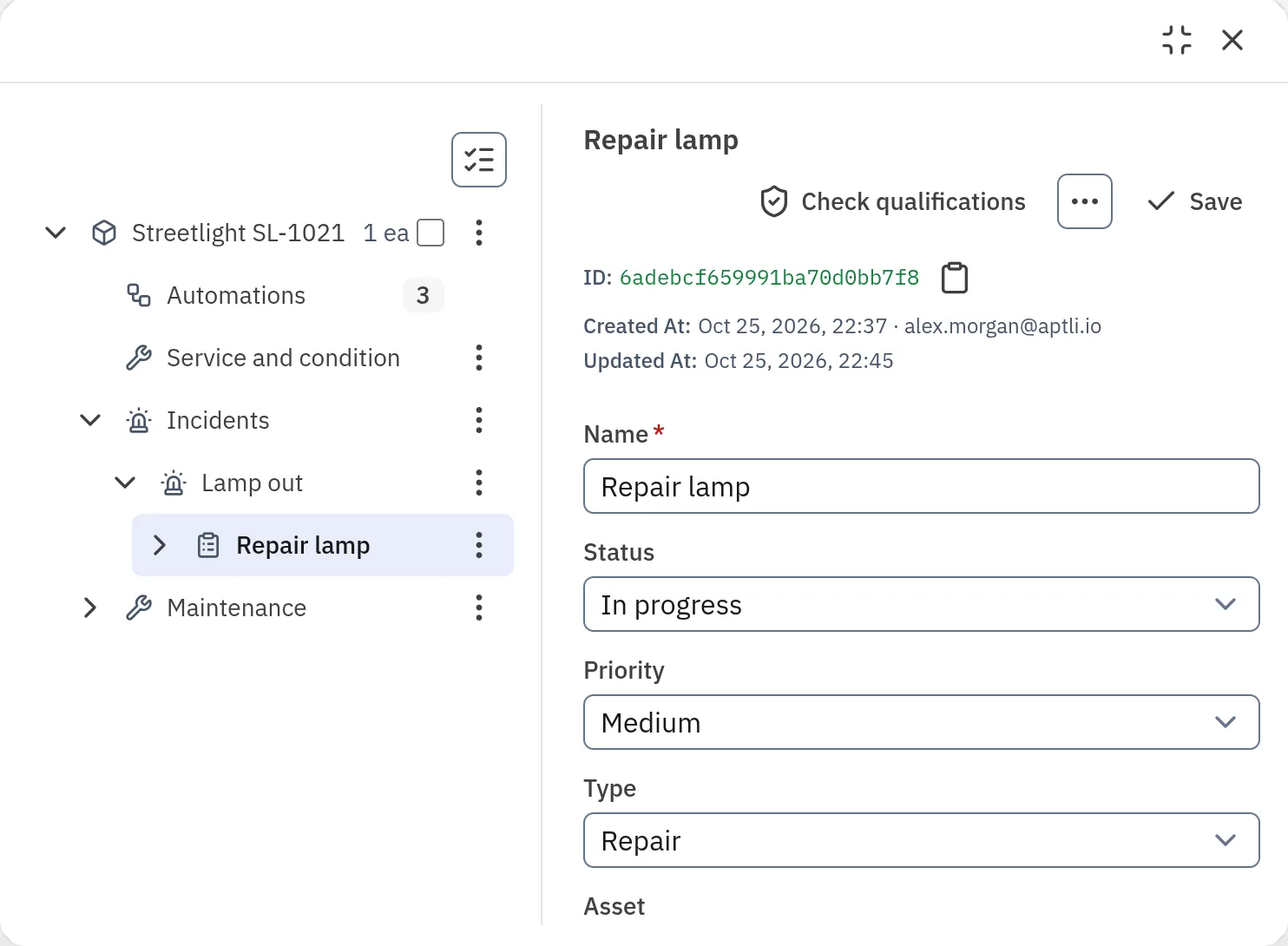
On the asset
Aptli files every incident and work order under the asset it touched
An asset's window holds its service and condition, its incidents and its maintenance as rows, each one shown once it holds something.
Fits with
Yours in its place
Your GIS
Asset layers in ArcGIS or an OGC service sync with Aptli both ways, field by field. Each field belongs to one side, and a change goes back to the side that owns it.
Runs on
Asset management
The register, its classes, condition, risk and the work on each asset.
Goes with
Aptli builds your capital plan from condition and risk and costs it by year against your funds.
Aptli sends the right person to the asset and closes the incident when the job is done.