


Service requests
Aptli turns a photo and a pin on the map into a request, routes it to the right person, and keeps the person who reported it informed.
Each request type is a form with its own questions. Staff answer each request with an incident or a work order on the asset, and the conversation with the person runs two-way on the channel they used.
How it runs
- 01Report itThe publicThe person takes a photo, drops a pin and answers the form's questions.
- 02Triage itStaffStaff read the request, set its priority and assign it.
- 03Turn it into workStaffStaff answer the request with an incident or a work order on the asset.
- 04Hear backThe publicThe person hears back on the channel they used and replies on the same thread.
What it does
Report a problem
Anyone files from a phone on your own domain, as a guest or signed in, as the portal sets.
Request types and questions
Each request type is a form with its own questions, required fields and photos.
Location and jurisdiction
The where question takes the device's position, a spot on the map, an address or two crossing streets. A form takes requests from its own areas, and the page says so before anything is filed.
Routing and triage
Rules assign by type, area and tags. Staff pick from people ranked by skill and distance.
Keeping the person informed
Each request gets a reference and a tracking page. Status changes and staff replies reach the person by email, SMS or push, on one thread.
Public status
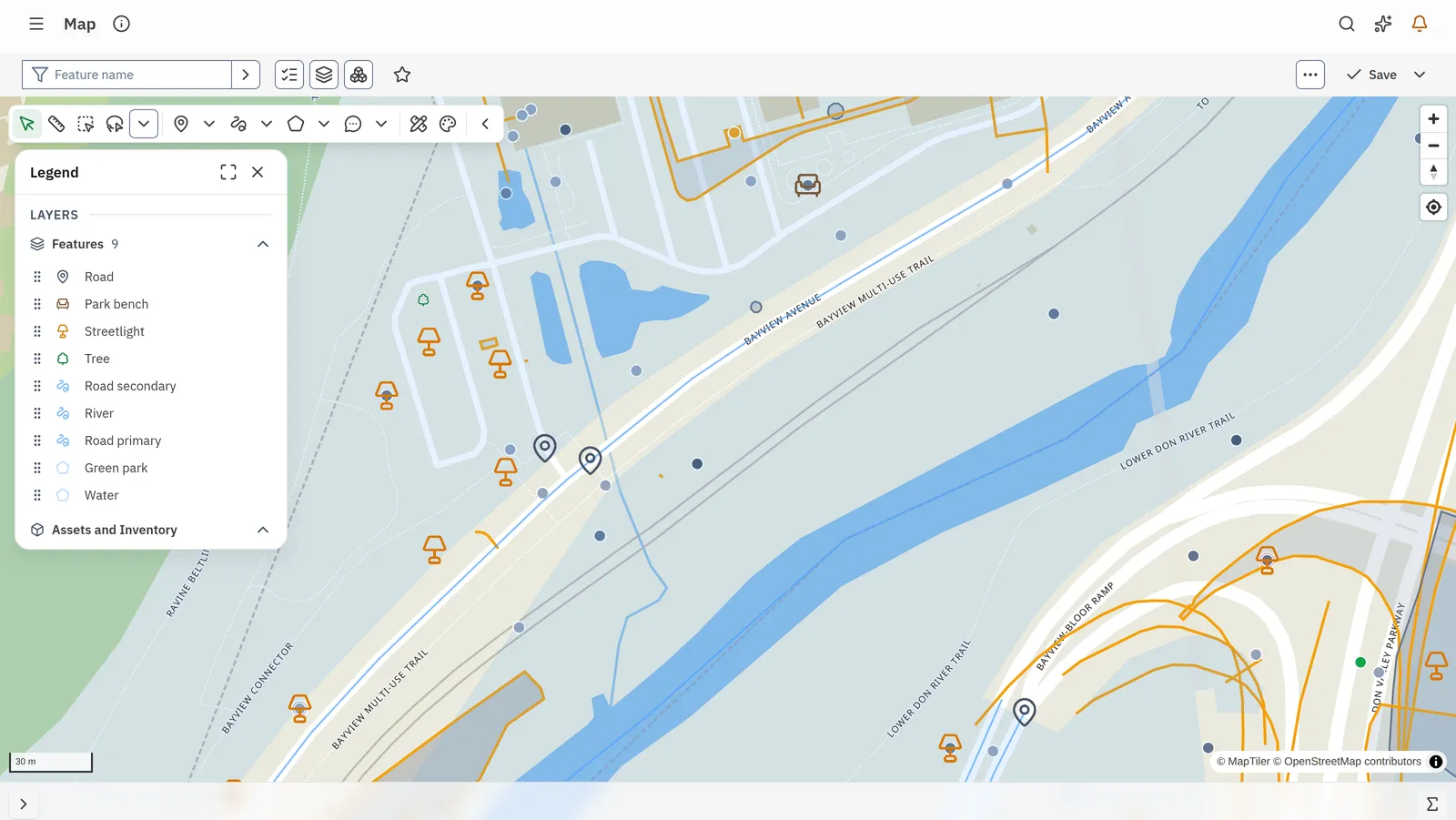
The map page shows open requests and planned work to the public. Staff see every open request beside the new one.
Languages and AI help
The form fills itself from a photo and a description, and staff read an AI summary beside the original. A call-taker texts a single-use form link to a caller.
Requests into work
Staff answer a request with an incident or a work order on the asset it concerns, and its status returns to the person.
Branding and embeds
Your logo and your domain. One line of script places a form, the map or the forms directory in your website, and WordPress and Drupal plugins do the same.
Technical details
- The public files with photos, voice, QR scans and signatures, and gets a reference number.
- A person describes the problem out loud and Aptli picks the form. The model sees the form titles and nothing else.
- A photo and a spoken description fill the form before anyone types.
- The portal map shows the layers you publish and the properties you mark public on each one.
- A person with a portal account saves a report to finish later, adds to an earlier request and reads replies in their own language.
- Notifications go out by email, SMS and push, and each person chooses them by type and by channel.
- The portal runs on your own domain, or one line of script or a WordPress or Drupal plugin places it in your site.
- A CRM, 311 or permitting system sends requests in through its connection and takes the status back.
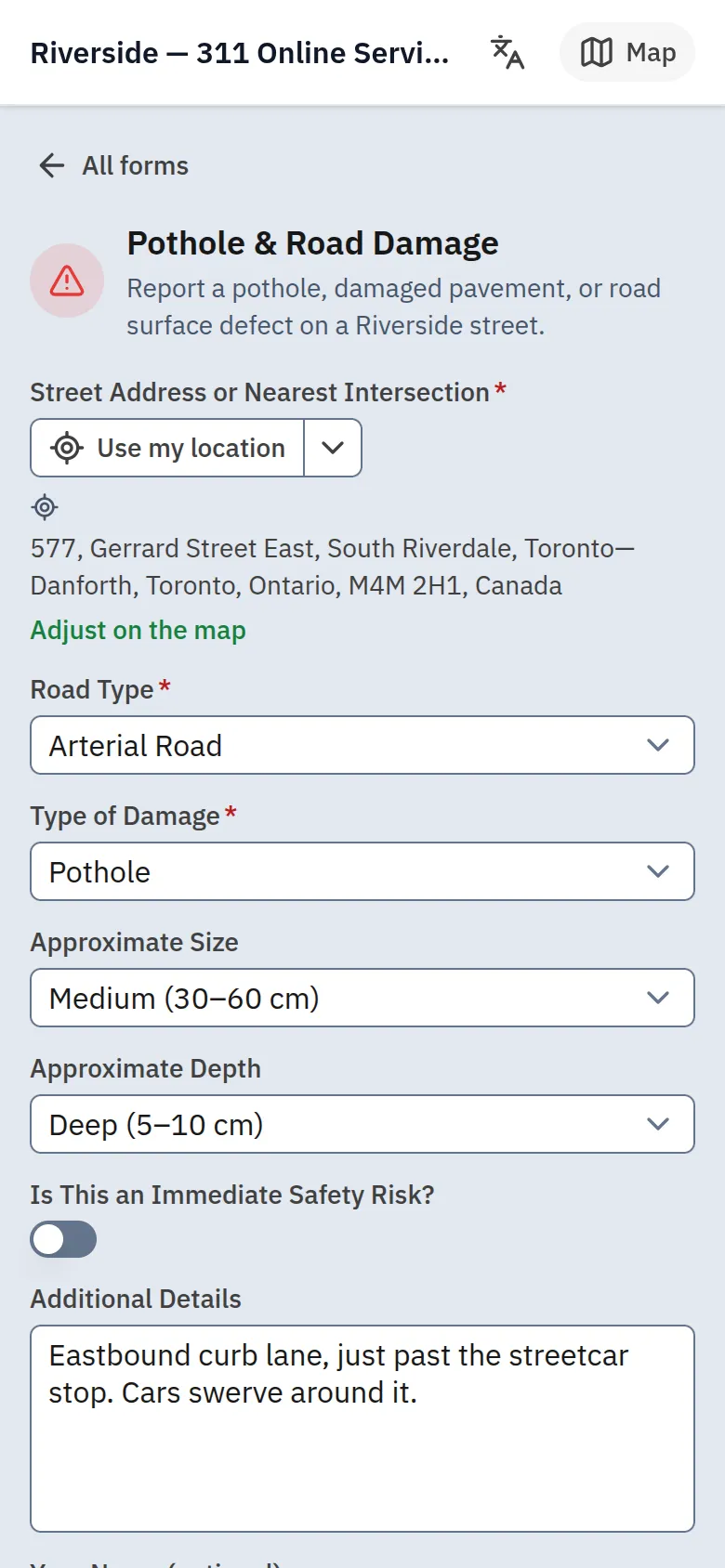
On the phone
The public files a report from a phone in a few presses
The person picks a request type, adds a photo and a spot, and files. The reference number and the tracking page follow by email or SMS.
Fits with
Yours in its place
Your CRM or 311 system
A CRM or 311 system sends requests in through its connection and takes status back. The portal's forms, tracking and replies run beside it or in its place.
Runs on
Public portal
The forms, the tracking page, replies and the public map.
The incident or work order that answers each request.
Goes with
Aptli sends the right person to the asset and closes the incident when the job is done.
Aptli takes the application online, routes it for review, collects the fee and issues the permit.